AI Form Designer on Oqtane
On Oqtane, MegaForm is available from the Admin area and from the full MegaForm dashboard.
Create a new form
- Sign in as a host or administrator.
- Open Admin > MegaForm.
- Select Full Dashboard, then Create form.
- Choose Create with AI.
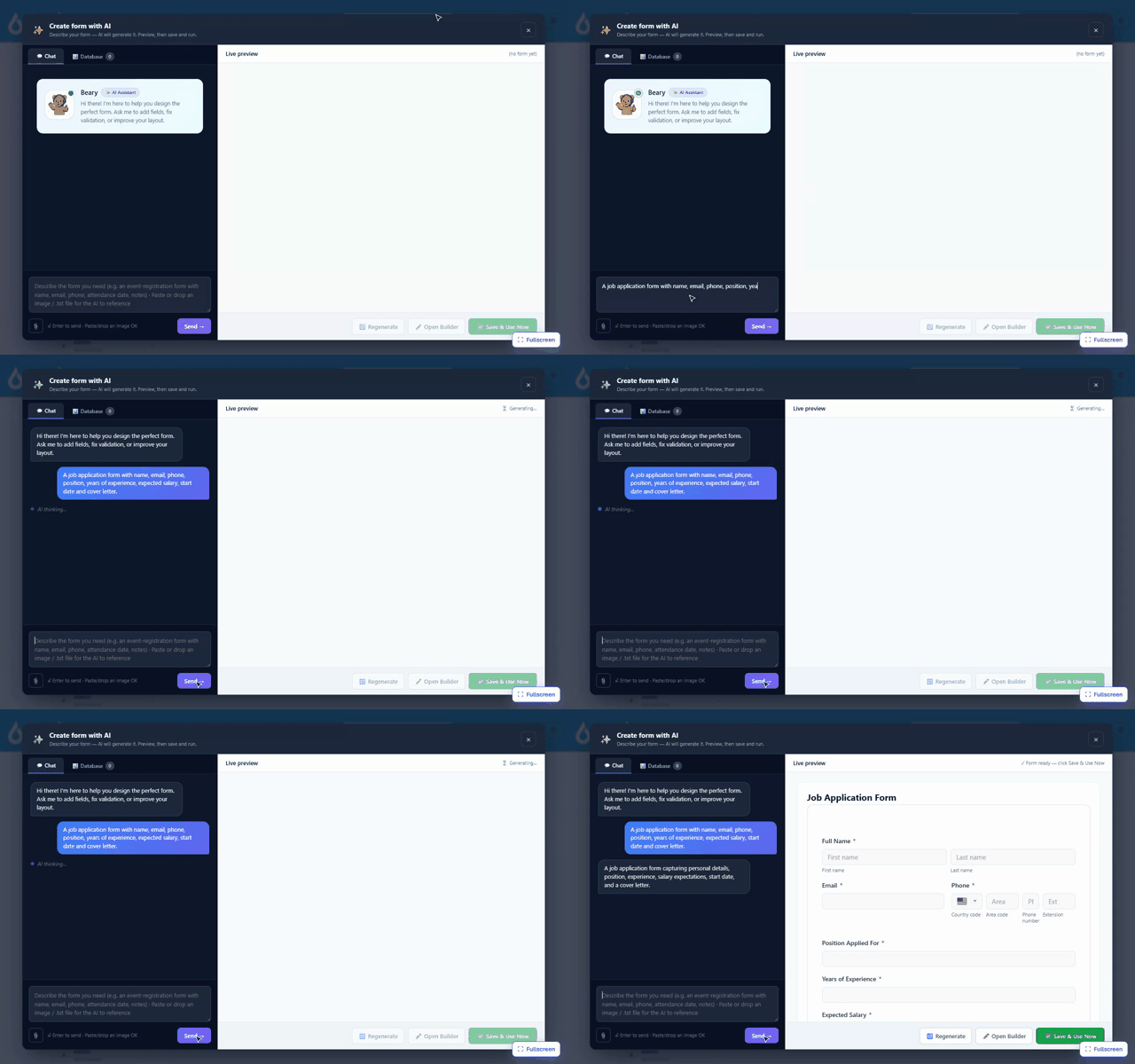
- Describe the form and review the live preview.
- Continue the conversation to refine the result.
- Save the form or open it in the full builder.
The following Oqtane recording shows the create, preview, and refine flow:
Refine a form
Open the form in the builder and select AI Designer. Ask for changes in plain language, review them on the form canvas, and save when the result is ready.
Add the form to a page
Use Add To Page from the form list, select the target page and pane, and confirm. For the full publishing workflow, see Create a form on Oqtane.