Cascade-SQL Dropdowns (DNN)
Build dependent dropdowns whose options come from a SQL table, where selecting a value in the parent dropdown filters the child dropdown — for example Country → State → City.
The whole thing is configured on ordinary Select fields in the Form Builder — no code.
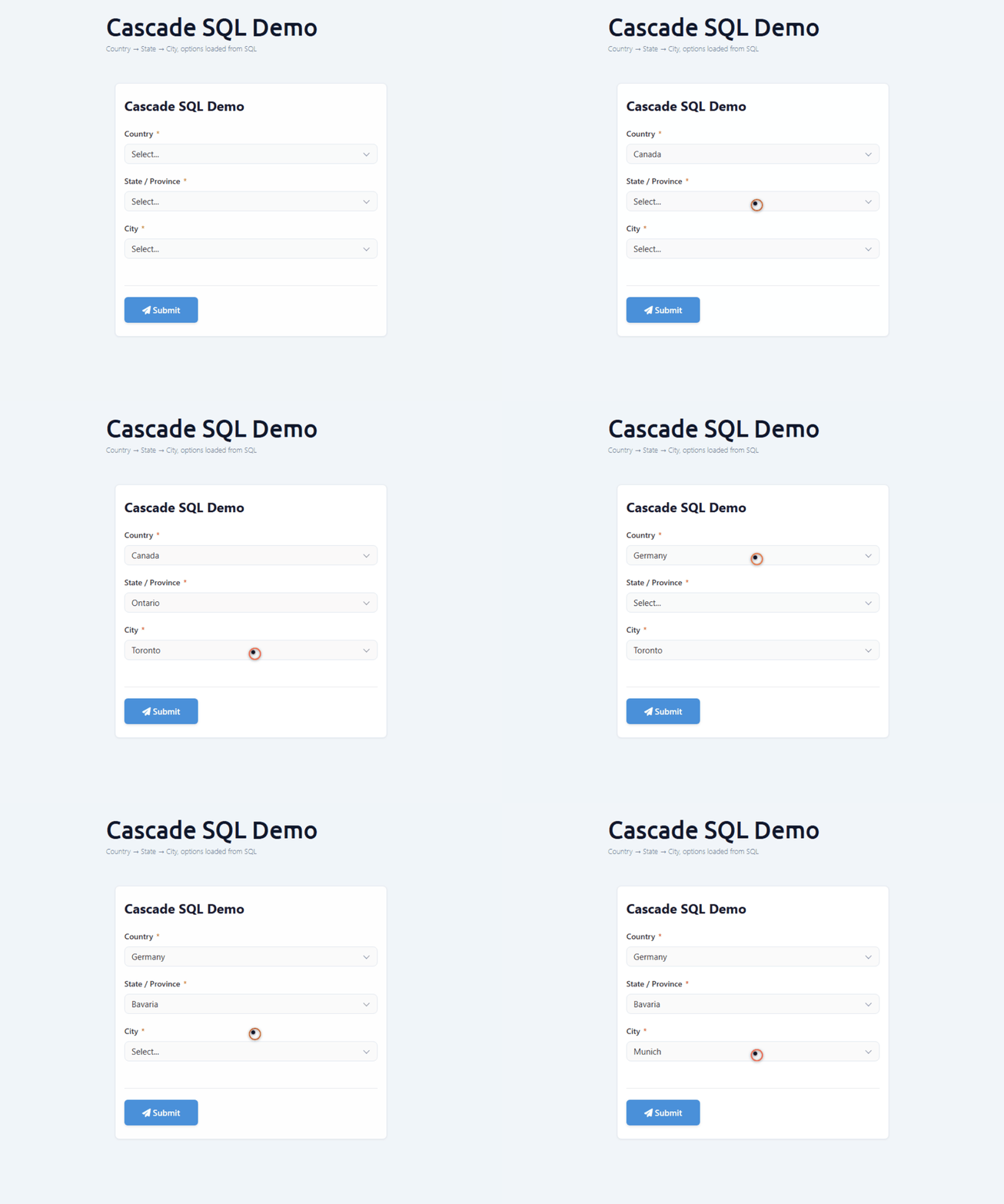
The capture below shows it running on a live DNN 10.3 form: pick a country and the state list
refills, pick a state and the city list refills.
Set it up in the builder
- Drop three Select fields on the form (
country,state,city). - On each, open the field's Database tab and switch Options source to SQL, pick the
connection, and write a one-line
SELECT id, label FROM …. - On the two child fields, set Depends on to the parent field and turn on Reload on change.
- In the child's SQL, reference the parent's value with a
:tokennamed exactly like the parent field key (:country,:state).
That's the entire recipe — the sections below show the backing data and the one field that carries the dependency.
The data
Three small lookup tables in the site database (DashboardDatabase):
CREATE TABLE dbo.MFDemo_Country (Id INT PRIMARY KEY, Name NVARCHAR(80));
CREATE TABLE dbo.MFDemo_State   (Id INT PRIMARY KEY, CountryId INT, Name NVARCHAR(80));
CREATE TABLE dbo.MFDemo_City    (Id INT PRIMARY KEY, StateId INT,  Name NVARCHAR(80));
-- e.g. Canada(1) → Ontario(11) → Toronto(101), Ottawa(102) …
The first column of each SELECT is the option value, the second is the label.
The child field carries the dependency
The parent (country) is a plain SQL Select — optionsSource:"sql" with a SELECT … FROM MFDemo_Country, no dependency. The interesting one is the child: it names its parent in
optionsDependsOn and binds the parent's value into its SQL with the matching :token:
{
  "key": "state", "type": "Select", "label": "State / Province", "required": true,
  "options": [{ "value": "", "label": "-- pick a country first --" }],
  "properties": {
    "optionsSource": "sql",
    "optionsConnectionKey": "DashboardDatabase",
    "optionsSql": "SELECT Id, Name FROM dbo.MFDemo_State WHERE CountryId = :country ORDER BY Name",
    "optionsDependsOn": ["country"],
    "optionsReloadOnChange": true
  }
}
city follows the same shape one level down: optionsDependsOn:["state"] and WHERE StateId = :state.
How the filtering works
- Each SQL-backed dropdown is loaded from
GET /DesktopModules/MegaForm/API/Submit/FieldOptions?formId={N}&fieldKey={key}(anonymous — the public renderer calls it). - When a parent changes, the renderer re-fetches the child and appends the parent's value as
&__p__<parentKey>=<value>. The server strips__p__, binds it as SQL parameter@<parentKey>, and runs the child'soptionsSql. So:countryis filled by&__p__country=…and:stateby&__p__state=…. Before a parent is chosen the token binds toNULL, so the child is empty by design.
⭐ Gotchas (each caused a real silent failure)
- The
:tokenname must equal theoptionsDependsOnkey.optionsDependsOn:["country"]→ the SQL must reference:country. A mismatch binds the parameter toNULLand the child returns an empty list, silently — no error. - Missing
optionsSource:"sql"(or a missingoptionsConnectionKey) also returns an empty list silently. Set both. optionsConnectionKeyempty falls back toDashboardDatabase(the site DB). To read another database, register it first (Database Settings) and use its key.- Inline
optionsSqlis SELECT-only — DML /;/ comments are rejected. Results are capped at 500 rows; for large child sets pair the dropdown with a typeahead so the cap doesn't drop rows.
Stored-procedure variant
Set "optionsType":"storedproc" and make optionsSql the procedure name; the parent
values are passed as @-prefixed proc parameters (same optionsDependsOn).
Prerequisites
- DNN 10.x, MegaForm installed, Host/Administrator access.
- Parent→child tables on
DashboardDatabase(or a registered named connection).