Multi-language (DNN)
MegaForm's UI — builder, dashboard, and the forms themselves — ships localized, with a per-language JSON catalog you can edit, export, import, or machine-translate from the Languages section of the dashboard.
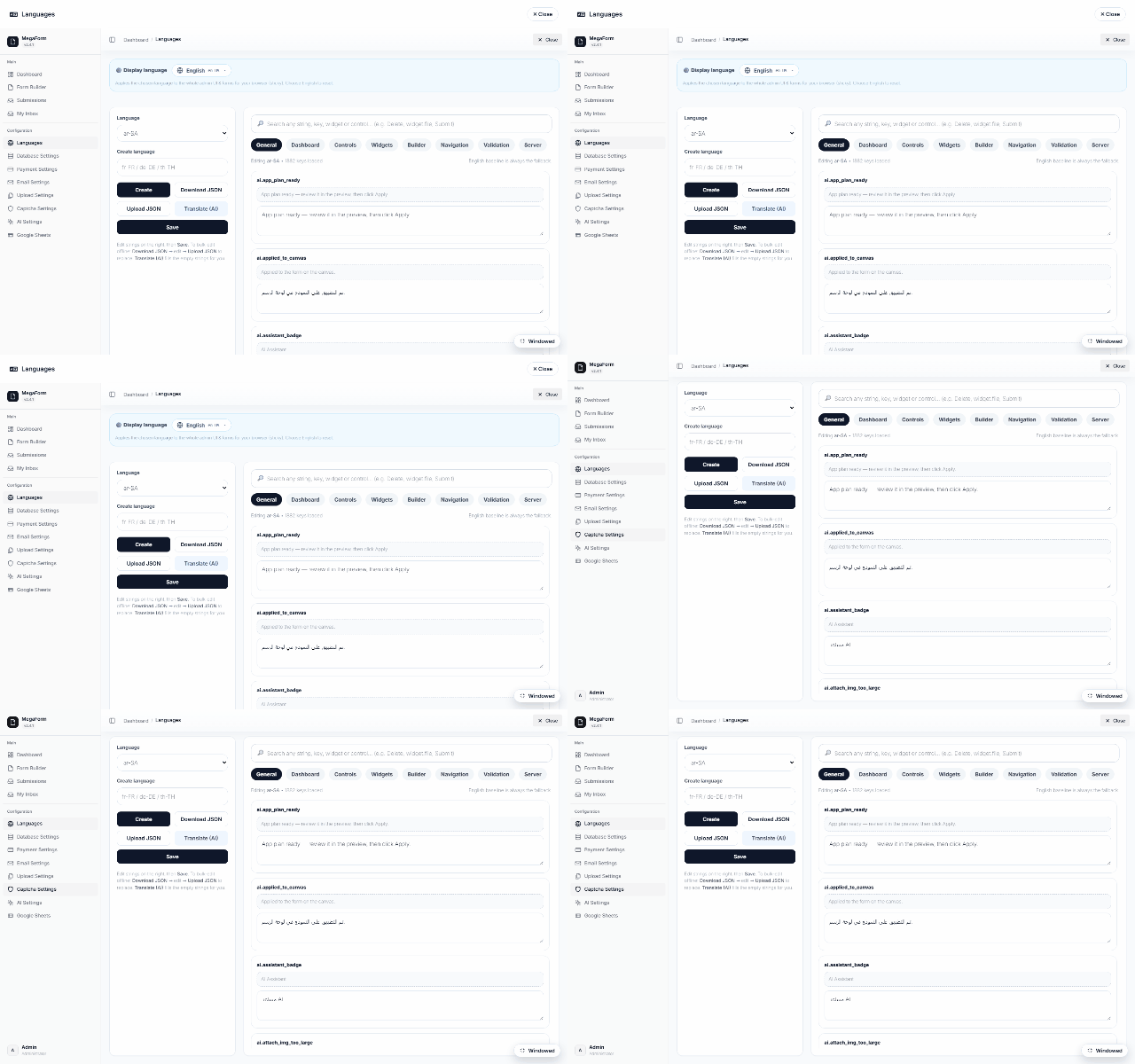
The Languages manager
- Language picker + Create language — ~38 locales ship out of the box; add your own.
- The catalog — every UI string, grouped by area (General, Dashboard, Controls, Widgets, Builder, Navigation, Validation, Server), editable inline. English is the built-in fallback: an untranslated key renders its English text, never a blank.
- Download / Upload JSON — the whole catalog round-trips as one JSON file per locale (translate offline or hand to an agency).
- Translate (AI) — machine-translate the missing keys using the configured AI assistant, then hand-polish.
What language a visitor sees
The renderer resolves its locale from (in order): an explicit ?mflocale= on the URL, the
persisted site choice, the server-provided locale, then the browser's language — falling back
to en-US. Right-to-left locales flip the layout automatically.
Form content (labels, options) is authored in the form itself — the catalog covers the product UI (buttons, validation messages, dashboard chrome). For per-form multilingual labels, author per-locale forms or use tokens in your templates.