Theme Compatibility (DNN)
MegaForm can either keep its own designed template styling or inherit the host page theme. This is useful on DNN sites where the portal skin already defines a font and color scheme: premium forms can stay brand-locked when you want a polished campaign page, or they can blend into the page so the DNN skin controls the typography and color.
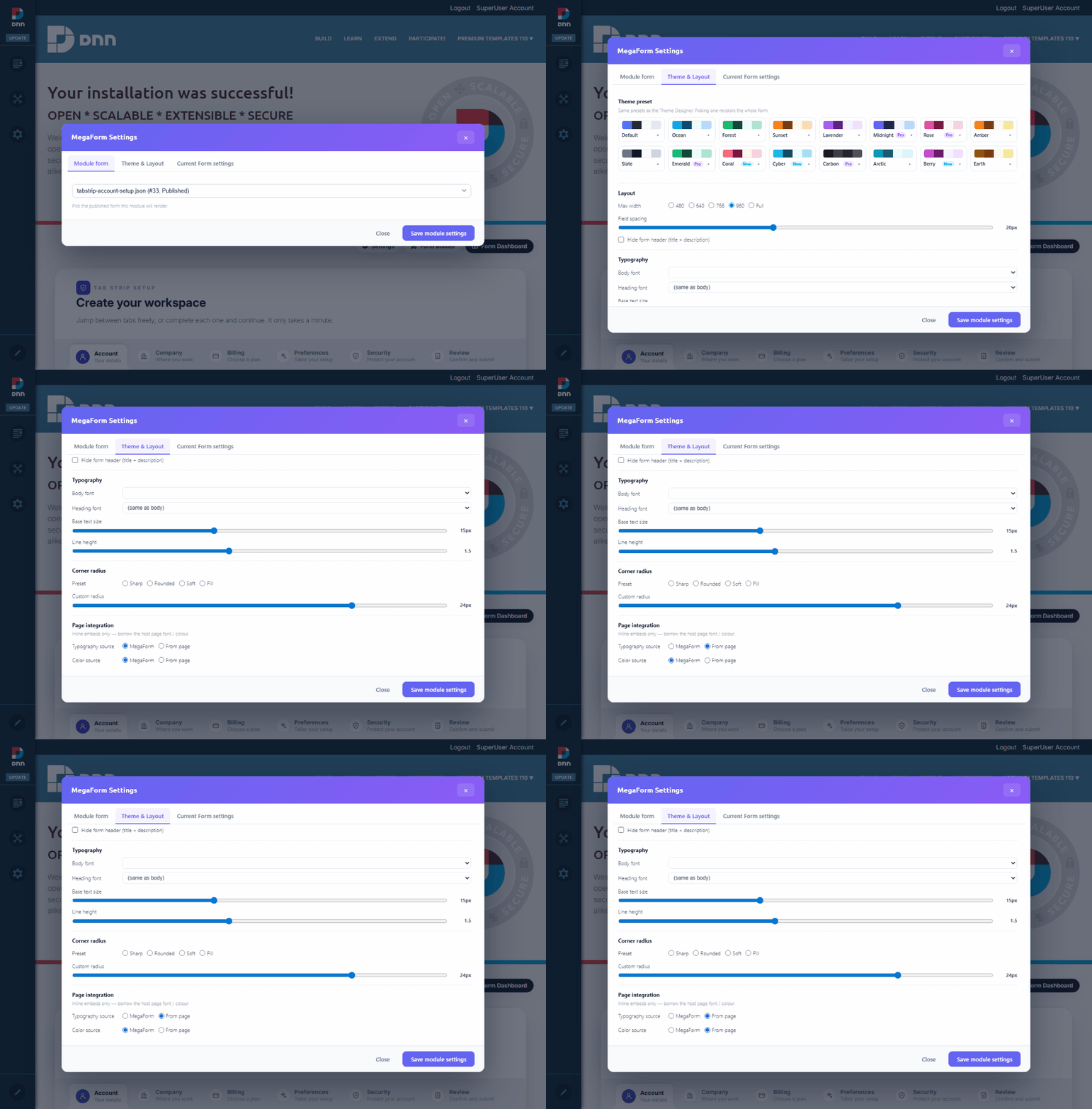
Two styling modes
Use MegaForm as the source when the template should keep its original color palette, typography, spacing, and custom shell. The form renders with the design it was authored with in the builder, regardless of which DNN skin the page uses.
Use From page when the form should borrow the host page's font and colors. After switching both Typography source and Color source to From page, the same module follows the DNN skin's fonts and palette instead of the template's own styling.
How to switch
- Open the form page in DNN as an administrator and turn on Edit mode.
- Click Settings on the MegaForm module's action menu.
- Open Theme & Layout.
- Under Page integration, choose the source for Typography source and Color source.
- Click Save module settings.
The settings are module-aware: a form can keep MegaForm styling on one page and inherit the DNN page skin on another page. The typography/color source flags are stored on the form, while the rest of the Theme & Layout options (theme preset, max width, field spacing) stay per-module — so you can mix a brand-locked landing page and a skin-blended internal page from the same published form.