Quick Start
This builds the scenario shown on the home page: read a form's submissions through the SDK and render them as a list — in about 20 lines.
The goal
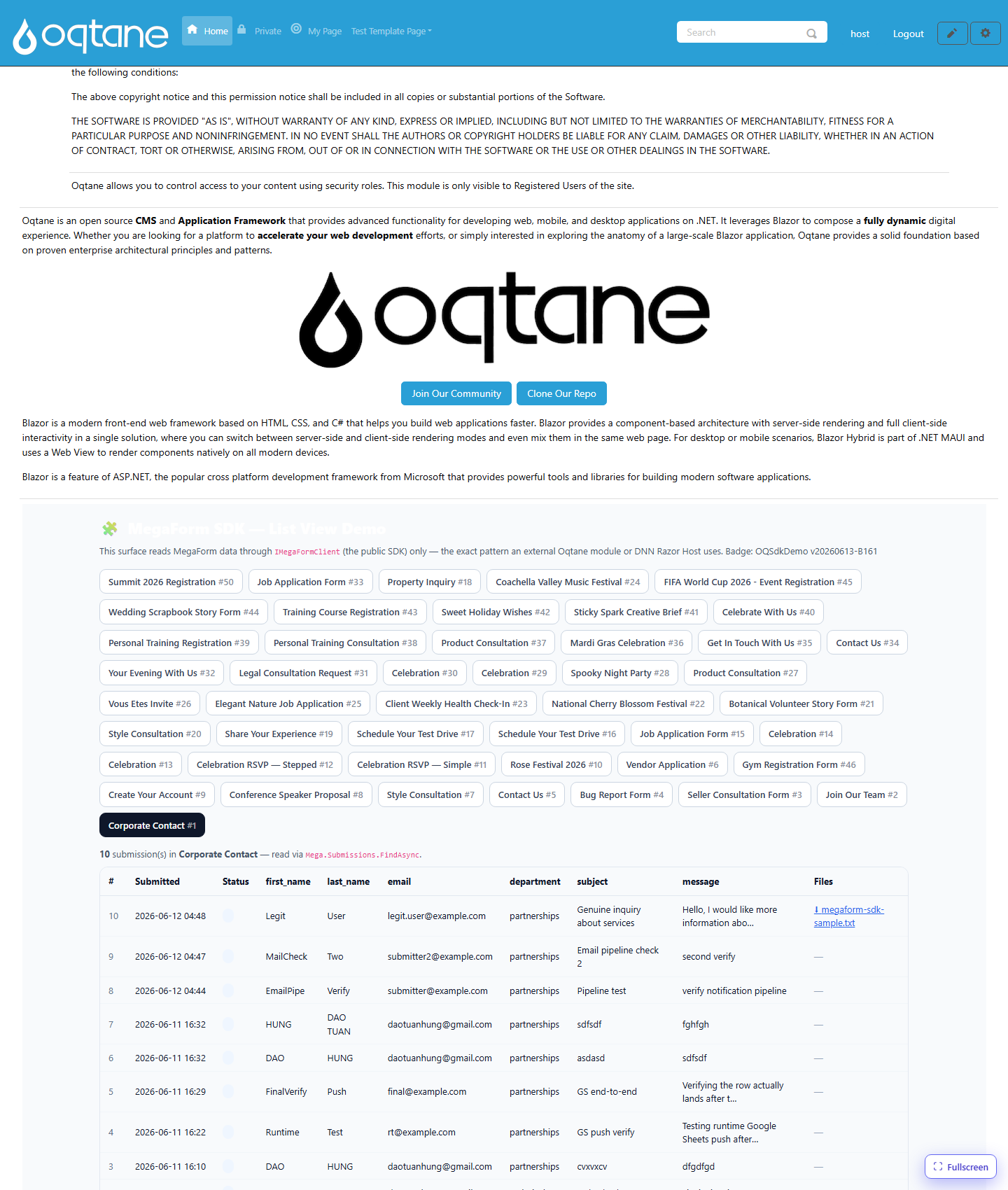
Step 1 — get a client + a scope
IMegaFormClient client = /* injected, or MegaFormSdk via RunAsync */;
var scope = new MegaFormScope { PortalId = 1 };   // your portal/site id
Step 2 — list forms
var forms = await client.Forms.ListFormsAsync(new FormQuery { PageSize = 50 }, scope);
foreach (var f in forms.Items)
    Console.WriteLine($"#{f.FormId}  {f.Title}  ({f.SubmissionCount} submissions)");
Step 3 — read submissions for one form
var page = await client.Submissions.FindAsync(
    new SubmissionQuery { FormId = 1, PageSize = 100 }, scope);

Console.WriteLine($"{page.TotalCount} submissions");
foreach (var s in page.Items)
    Console.WriteLine($"#{s.SubmissionId}  {s.SubmittedOnUtc:yyyy-MM-dd}  {s.Status}");
Step 4 — parse the submitted values
SubmissionDto.DataJson is a JSON object of fieldKey → value:
using System.Text.Json;

using var doc = JsonDocument.Parse(s.DataJson ?? "{}");
foreach (var prop in doc.RootElement.EnumerateObject())
    Console.WriteLine($"  {prop.Name} = {prop.Value}");
On classic DNN (net472) use
Newtonsoft.Json.Linq.JObject.Parse(...)instead ofSystem.Text.Json.
Step 5 — list & link uploaded files
var files = await client.Files.ListForSubmissionAsync(s.SubmissionId, scope);
foreach (var file in files)
    Console.WriteLine($"  ⬇ {file.FileName} ({file.SizeBytes} bytes)");
To actually stream a file to the browser, see File Download.
Full minimal example
var scope = new MegaFormScope { PortalId = 1 };
var page  = await client.Submissions.FindAsync(
    new SubmissionQuery { FormId = 1, PageSize = 100 }, scope);

var sb = new StringBuilder("<table><tr><th>#</th><th>Submitted</th><th>Files</th></tr>");
foreach (var s in page.Items)
{
    var files = await client.Files.ListForSubmissionAsync(s.SubmissionId, scope);
    var links = string.Join(" ", files.Select(f =>
        $"<a href=\"/download?submissionId={s.SubmissionId}&fileId={f.FileId}\">⬇ {f.FileName}</a>"));
    sb.Append($"<tr><td>{s.SubmissionId}</td><td>{s.SubmittedOnUtc:yyyy-MM-dd}</td><td>{links}</td></tr>");
}
sb.Append("</table>");
Next: see the platform-specific consumers — Oqtane and DNN Razor Host.