Controls & widgets (DNN)
Beyond the basic inputs, the palette's Widgets group holds MegaForm's advanced controls — payments, data grids that read your SQL tables live, appointment pickers, calculators, geolocation and more. Same click-to-add as any field.
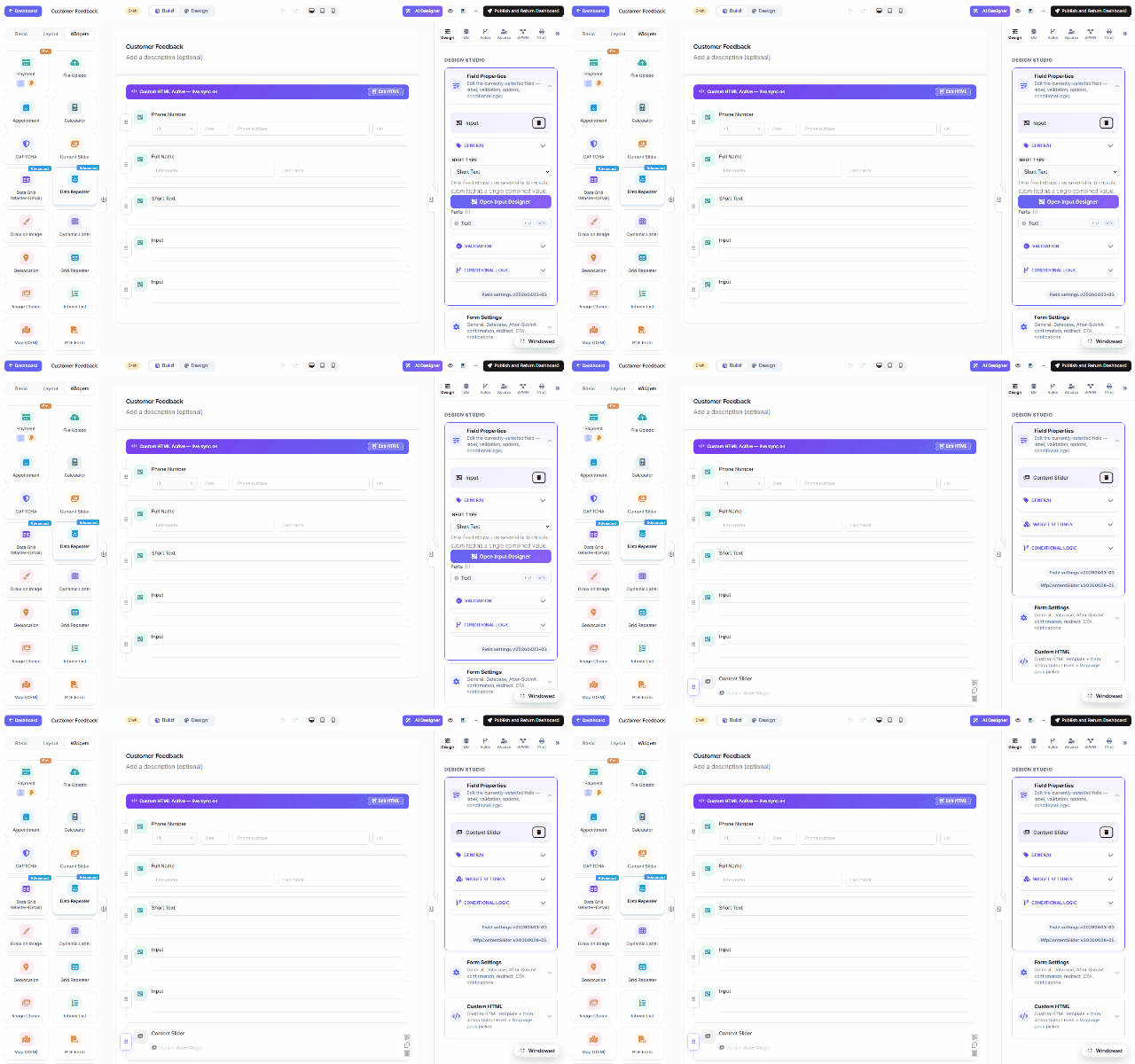
What's in the box
| Widget | What it does |
|---|---|
| Payment (Pro) | Stripe/PayPal checkout inside the form — amount fixed, from a field, or a running total; the server verifies every payment independently. |
| File Upload | Multi-file dropzone with extension/size limits; files attach to the submission. |
| Appointment | Date + time-slot booking. |
| Calculator | Live computed values from other fields. |
| CAPTCHA | Bot protection (alongside the built-in honeypot + spam scoring). |
| Content Slider | Marketing-style slides inside or around the form. |
| Data Grid (Master-Detail) / Data Repeater / Grid Repeater / Infinite List | Read-only, paged views over SQL you configure — the building blocks of the report page. |
| Draw on Image / Signature | Annotate an image, capture a signature. |
| Dynamic Label | Text that recomputes from live SQL or form values. |
| Geolocation | Capture the submitter's location (with consent). |
| Image Choice / Choice Cards / Chips | Visual pickers. |
…plus composite presets (Address, Date Range, Money/Amount, Measurement, Price Range) in the Layout group.
Each widget carries its own properties panel — data-driven ones take a connection + query (Storage & Integrations); interactive ones expose their options directly. Widgets render identically in the DNN page and in the standalone/embedded hosts, and the widget JS ships as separate per-widget bundles so a form only loads what it uses.