Storage & integrations (DNN)
Submissions always land safely in MegaForm's own store — but they don't have to stay there alone. Forms can write into your own SQL tables, read them for dropdowns and grids, and push records out to sheets and webhooks. Two surfaces configure all of it.
In the builder — the DB tab
The DB tab browses the databases the site may use (allow-listed connections), lists their tables with a capability probe (what MegaForm concluded it can safely do with each), and offers per-table shortcuts — + DataGrid drops a grid widget bound to that table; Create DB Table generates a table matching the form's fields:
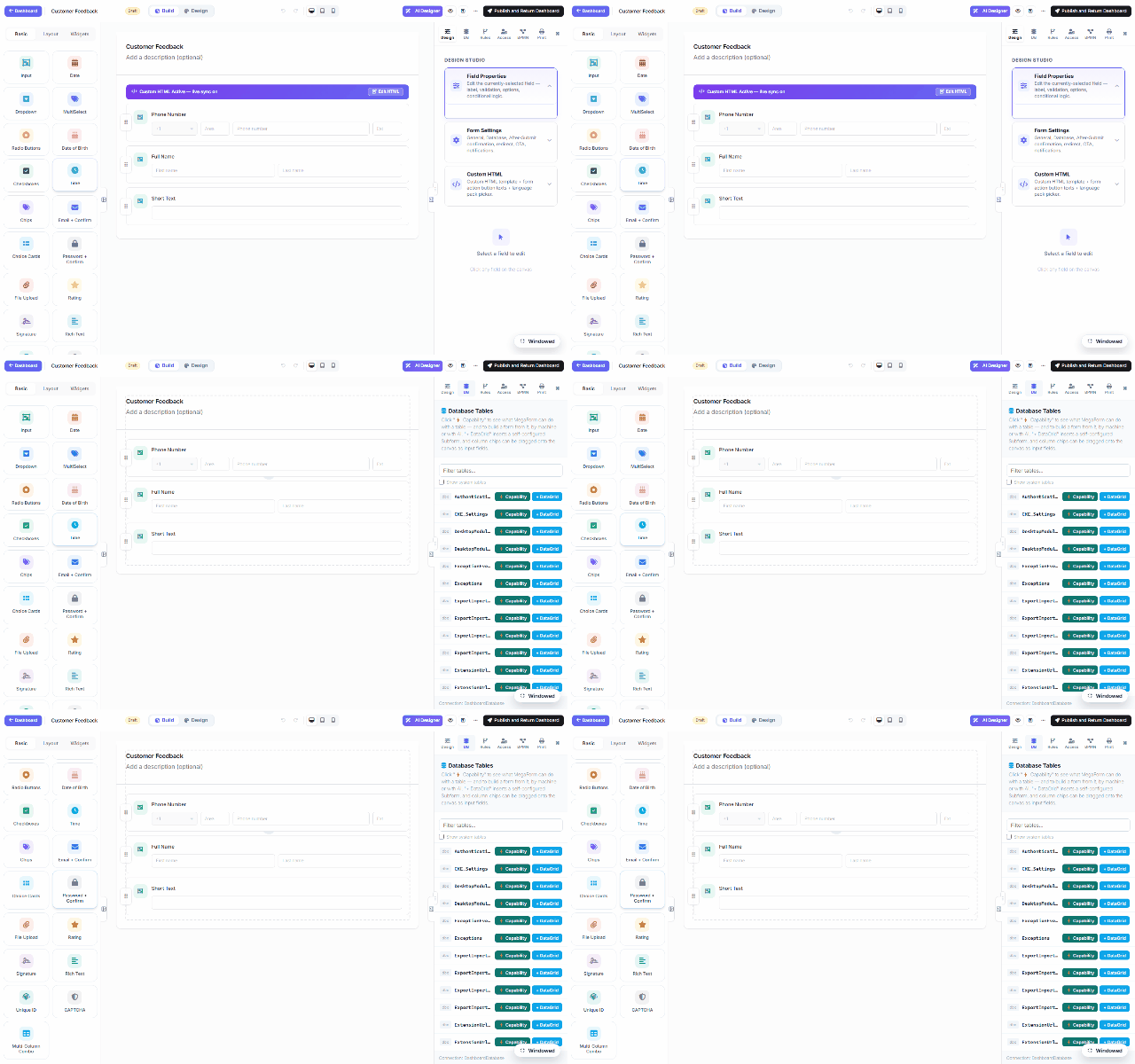
The write-half lives in Form Settings → Database: an enabled
database insert mirrors each submission into your table the moment it arrives —
INSERT INTO dbo.Stores (…) VALUES (:store_code, …) with :tokens bound to field keys.
Parameterized, INSERT-only (guarded server-side), and fail-soft: a database hiccup never loses
the submission.
Site-wide — the Settings panel
The dashboard's Settings section holds the shared plumbing:
| Panel | What it configures |
|---|---|
| Database Settings | Named, reusable connections (provider, connection string, encrypt/trust flags) with Test Connection — the names that forms, dropdowns, workflow DB nodes and reports refer to. |
| Payment Settings | Stripe/PayPal keys for the Payment widget. |
| Email Settings | SMTP + templates for notifications. |
| Upload Settings | Allowed extensions, size caps, storage location. |
| Captcha Settings | Bot protection keys. |
| AI Settings | The AI assistant's provider/model/key. |
| Google Sheets | Service-account link for the Connect Google Sheet action on the submissions grid. |
The security frame
Connection strings live server-side under named keys; the client only ever sends a key, and only allow-listed keys resolve. Reads are capped and paged in SQL; writes go through parameterized statements. User-configured outbound URLs (webhooks) pass an SSRF guard. That's what makes it safe to point forms at a real ERP database — as the end-to-end demo does.