Workflow (DNN)
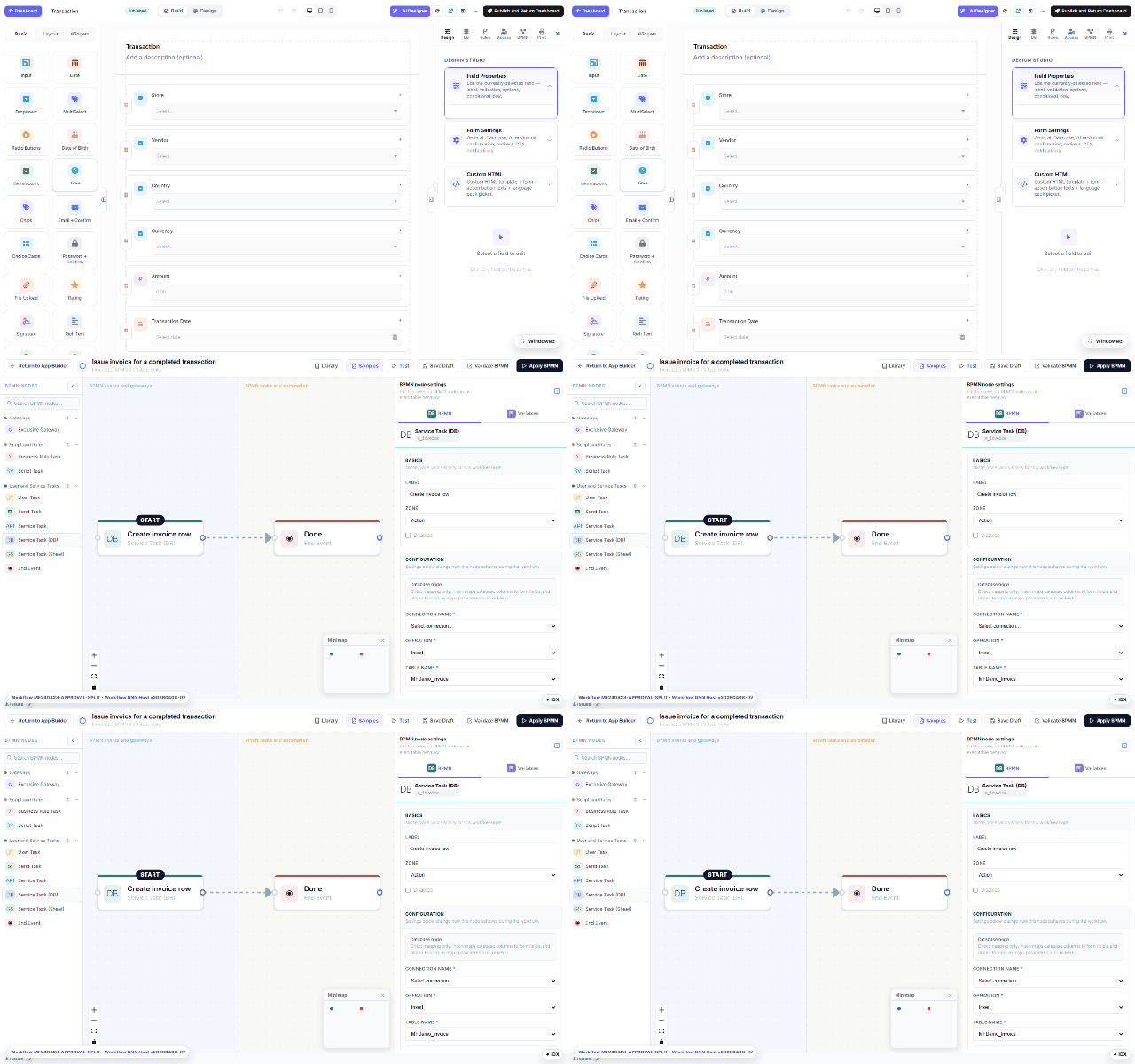
Every form can carry an executable workflow — approvals, notifications, database writes, scripted rules — drawn in a BPMN 2.0 subset editor right inside the builder (the BPMN tab). Below is the ERP demo's real workflow: “Issue invoice for a completed transaction”.
The editor
- Node palette — Exclusive Gateway (branching), Business Rule / Script Task, User Task (a human approval — this is what lands in My Inbox), Send Task (email), Service Task (API call), Service Task (DB) (a parameterized database write), Service Task (Sheet) (Google Sheets), End Event.
- Canvas — drag nodes, wire them with connectors; a minimap tracks big diagrams; Validate BPMN checks the graph before Apply BPMN activates it.
- Node settings — each node's behavior: the DB task in the recording maps form fields to
an
Insertinto an invoice table over a named connection; the Variables tab auto-maps form fields to workflow variables (Auto-map now suggests them). - Test — dry-run the flow before applying.
What runs where
The workflow executes server-side on each submission (or on approval transitions).
A User Task creates inbox tasks for its assignees; gateways route on field values
(amount > 5000 → manager approval); DB tasks write only through parameterized statements on
allow-listed connections. The ERP demo chains it end-to-end: transaction submitted →
approval → invoice row inserted automatically — see
end-to-end workflow demo.
Prefer not to draw from scratch? Attach a ready flow from the Workflow Library, or let the wizard's Workflow step scaffold one.